Ba4bes.com
GitHub Copilot Pricing and Model Guidance
This page contains sheets that visualize what the GitHub Copilot models cost, which model
fits which task, and how the personal plans compare to the business plans. The information is
based on GitHub's documentation, checked in .
I am not associated with GitHub, and this is not an official page. I just wanted to share
the diagrams I made to help myself understand the pricing model, in case they are helpful
to others as well.
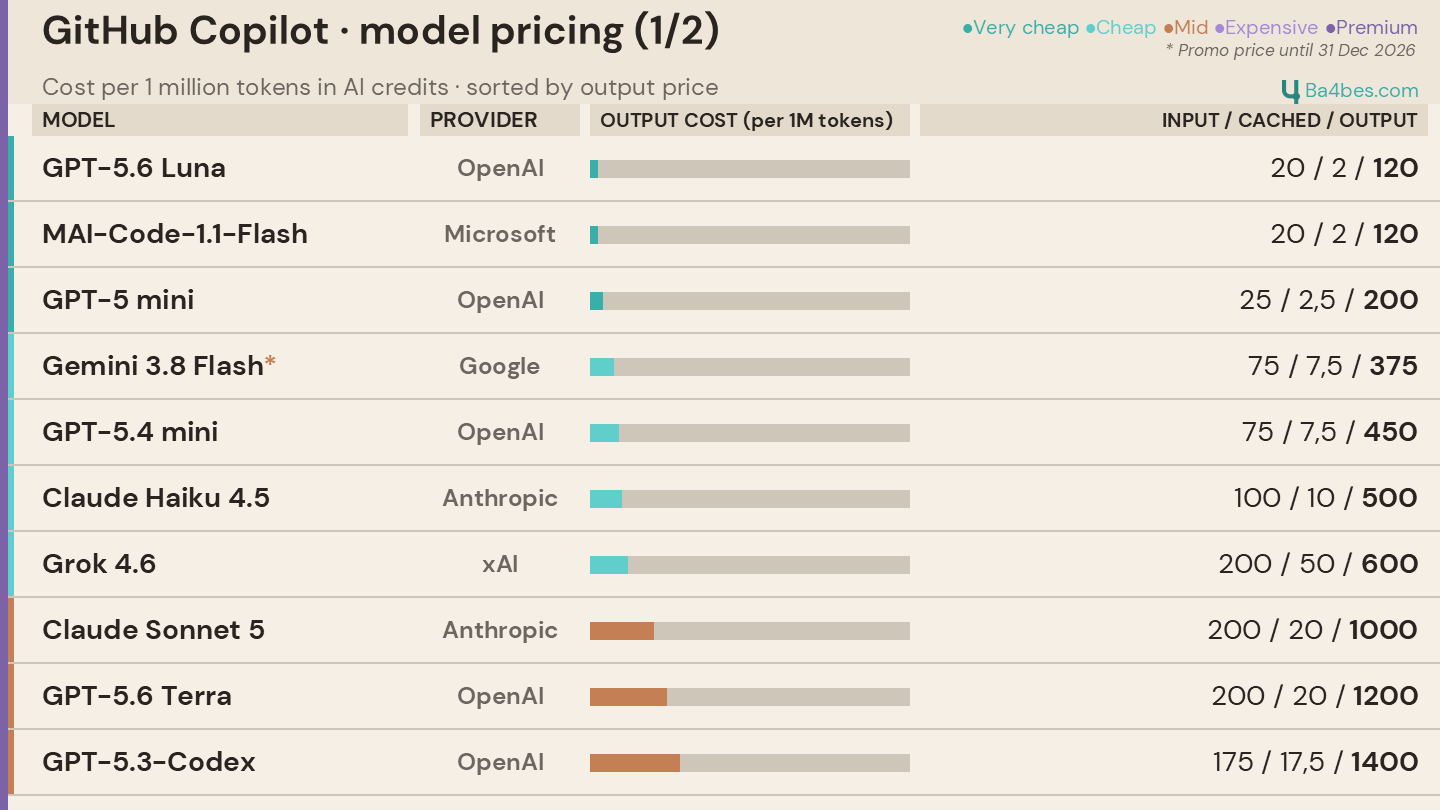
GitHub Copilot Model Pricing — the cheaper half
The sheets below show the cost per 1 million tokens in AI credits, sorted by output price.
The output is usually the biggest cost factor, which is why the bar in the middle column
visualizes the output cost. The three numbers on the right are input / cached / output.
This first sheet covers the very cheap, cheap and mid-priced models, from GPT-5.6 Luna at
120 credits per million output tokens up to GPT-5.3-Codex at 1400. The most recent
information can be found in the GitHub documentation:
GitHub Copilot Pricing & Billing.
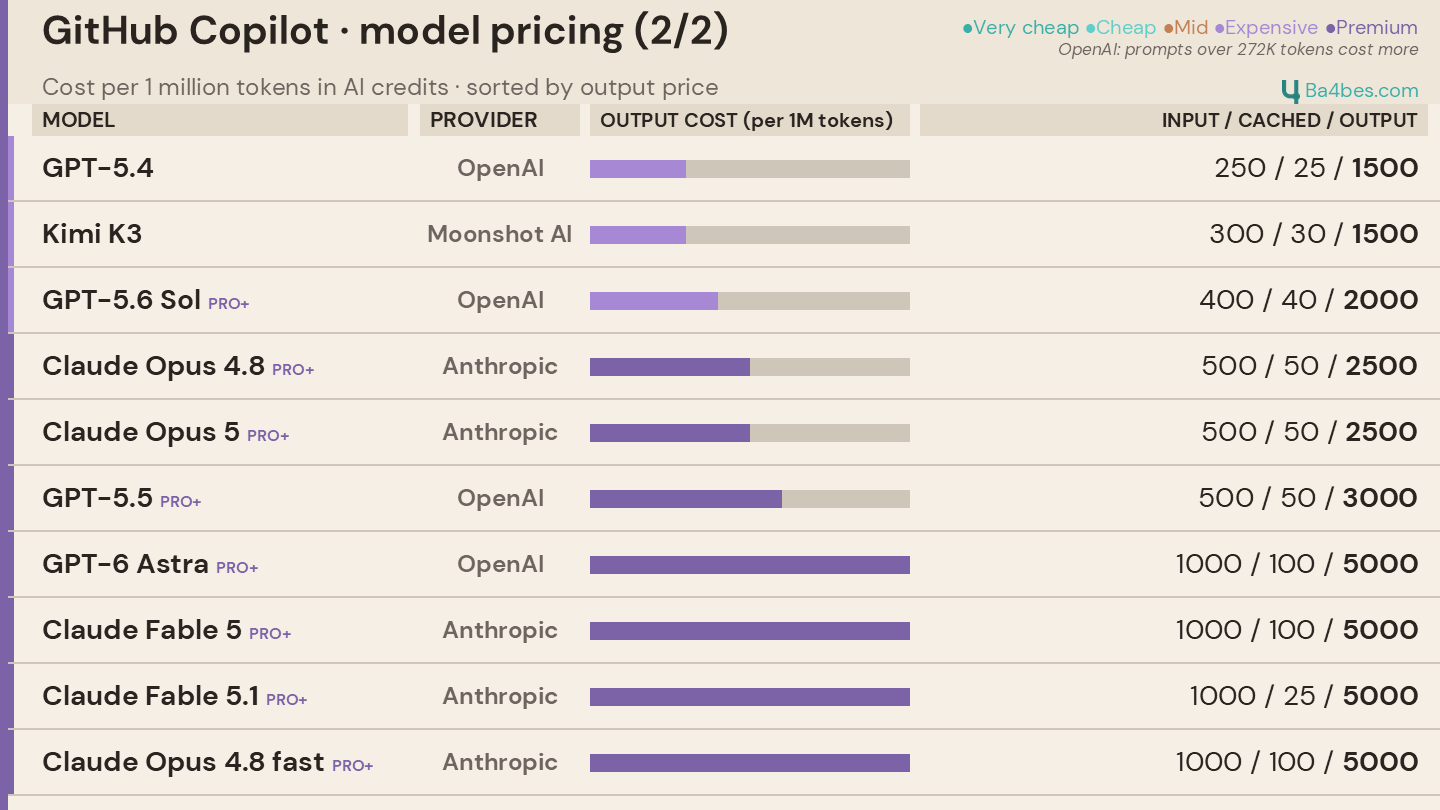
GitHub Copilot Model Pricing — the expensive half
The second sheet continues the same list with the expensive and premium models, from
GPT-5.4 at 1500 credits per million output tokens up to the 5000 credit models like GPT-6
Astra and the Claude Fable and Opus variants.
The models marked PRO+ are only available on Copilot Pro+ and Max, not on Pro. For
the OpenAI models, prompts over 272K tokens are billed at a higher rate.
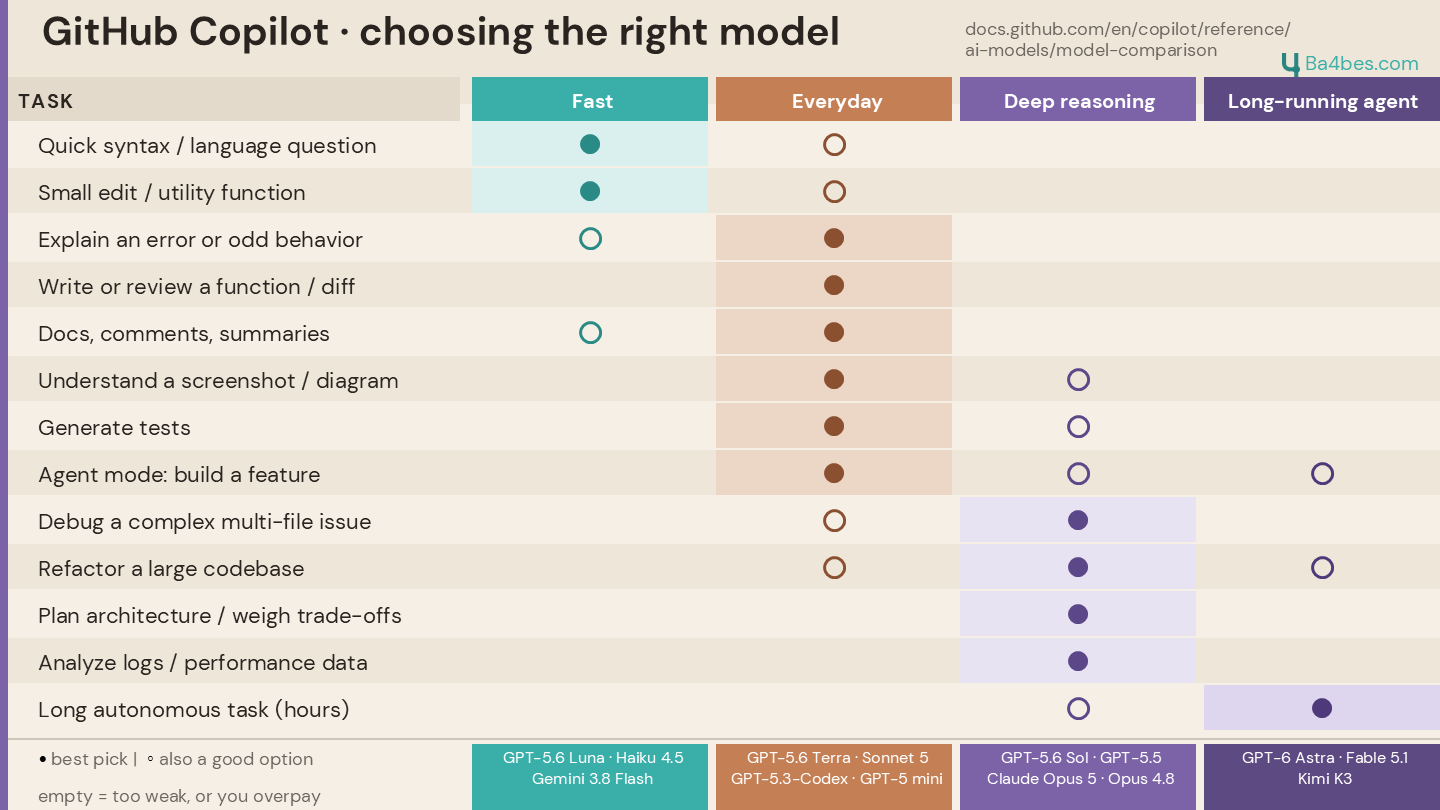
Choosing the Right GitHub Copilot Model
This sheet maps common tasks to four groups of models: Fast, Everyday, Deep reasoning and
Long-running agent. A filled dot is the best pick for that task, an open circle is also a
good option, and an empty cell means the group is either too weak or you would be
overpaying.
This is guidance, not a strict rulebook. You can of course do the simple tasks with a
powerful model, it is just not the most cost effective choice.
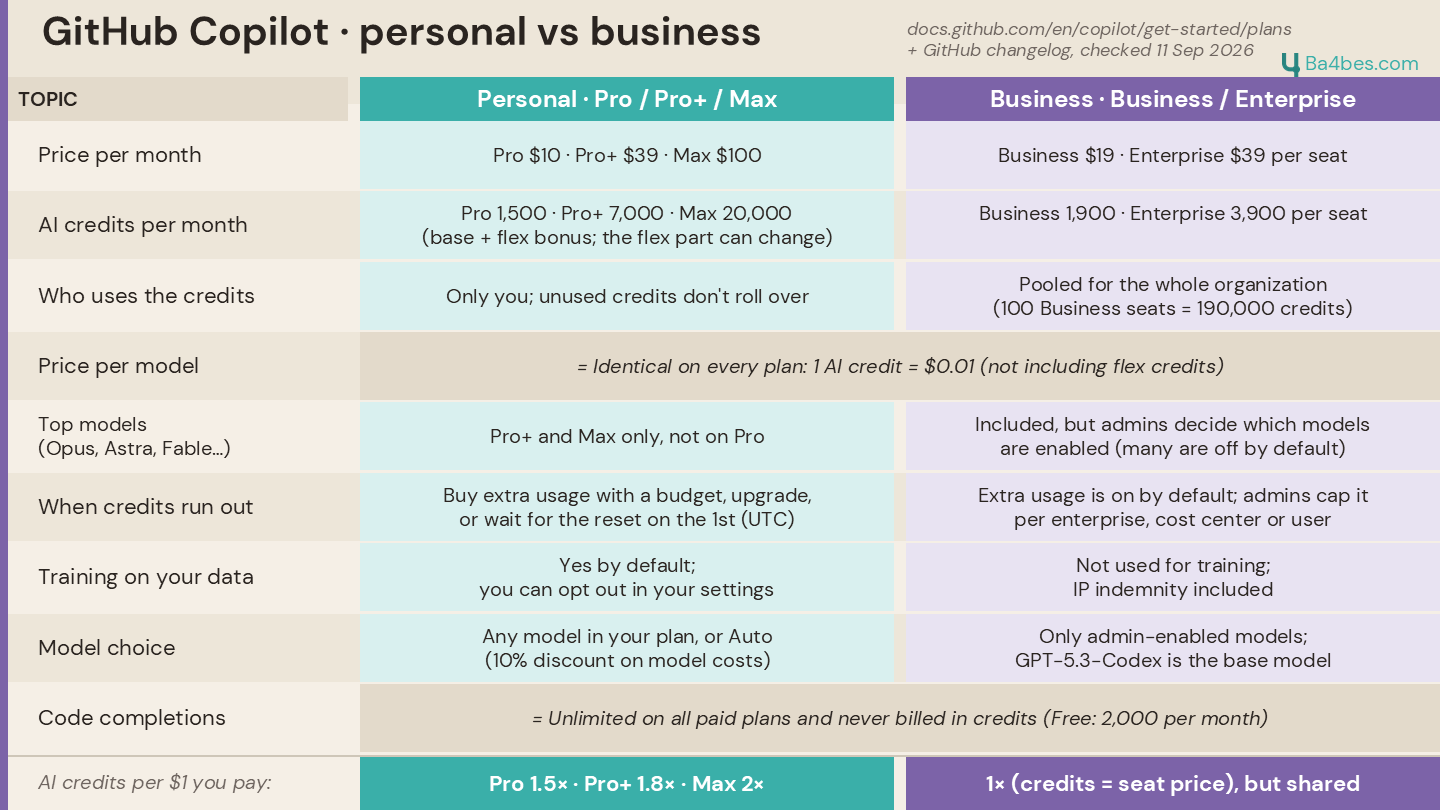
GitHub Copilot Personal vs Business Plans
The last sheet compares the personal plans (Pro, Pro+ and Max) with the business plans (Business and Enterprise) on price, AI credits, who those credits belong to, model availability, what happens when the credits run out, and training on your data.